Best Under-Desk Keyboard Trays for Ergonomic Typing

Disclosure: This post contains affiliate links. As an Amazon Associate, we earn from qualifying purchases at no extra cost to you.

Typing directly on your desk surface forces your wrists into an awkward, bent-up angle for hours a day, which is a fast track to wrist strain and carpal tunnel discomfort. An under-desk keyboard tray fixes this by dropping your keyboard and mouse to the correct ergonomic height, letting your forearms stay level and your wrists neutral. It also frees up your actual desktop for a bigger monitor, notes, or just breathing room.

Quick Picks

  • Best Overall: VIVO Clamp-on Keyboard Tray
  • Best Budget Pick: BONTEC Under Desk Keyboard Tray
  • Best Full-Motion: VIVO Under Desk Swivel Keyboard Tray
  • Best for Large Setups: VIVO Extra Large Clamp-on Keyboard Tray

1. VIVO Clamp-on Keyboard Tray— Best Overall

VIVO Clamp-on Keyboard Tray

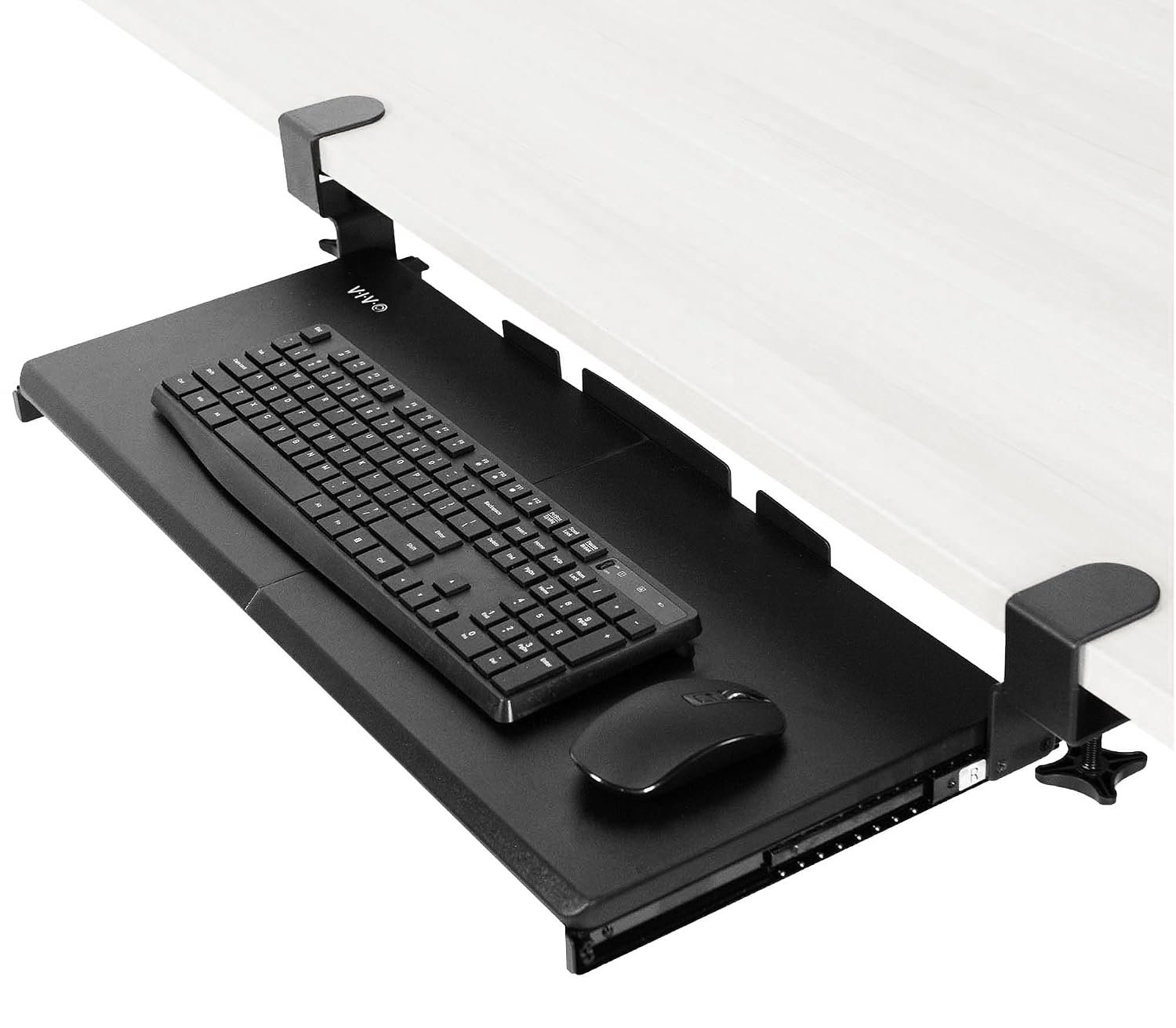
This is the tray that consistently comes up as the top pick for a reason: it’s an Amazon’s Choice product with over 14,000 reviews and a 4.4-star average, and it’s currently seeing 2,000+ purchases a month. The clamp-on C-clamp mount means no drilling into your desk, and the slide-out platform gives you a stable, roomy 27 x 11 inch surface for both keyboard and mouse. It holds up well under daily use and adjusts smoothly without the wobble that cheaper trays are known for.

Good for: anyone wanting a reliable, well-reviewed tray that just works without fuss. Watch out for: it requires a desk edge thin enough for the clamp to grip, so measure your desk thickness before ordering.

2. BONTEC Under Desk Keyboard Tray— Best Budget Pick

BONTEC Under Desk Keyboard Tray

BONTEC proves you don’t need to spend $50+ to get a solid ergonomic tray. With a 4.4-star average from over 5,600 reviews and 1,000+ bought in the past month, it’s clearly earned trust despite sitting near the bottom of the price range. The 25.6 x 11.8 inch pull-out platform comfortably fits a full keyboard and mouse, and the C-clamp mount installs in minutes without any tools beyond what’s included.

Good for: anyone on a budget who still wants a genuinely functional, well-reviewed tray rather than an unknown bargain-bin option. Watch out for: the slide mechanism feels slightly less premium than the pricier VIVO options, though it holds up fine for daily use.

3. VIVO Under Desk Swivel Keyboard Tray— Best Full-Motion

VIVO Under Desk Swivel Keyboard Tray

If you switch between typing and other desk tasks throughout the day, this VIVO model’s full swivel motion is genuinely useful. With a 4.2-star average from 2,600+ reviews and 800+ bought in the past month, it’s built around an under-desk mount that lets you rotate the entire platform out of the way when you’re not typing, rather than just sliding it in and out. The 25 x 10 inch tray is slightly more compact than the clamp-on models, which suits smaller desks.

Good for: anyone who wants to swing the tray fully out of the way for other desk work, not just slide it in and out. Watch out for: the swivel mechanism means it needs to be screwed into the underside of your desk rather than clamped, so it’s a more permanent installation.

4. VIVO Extra Large Clamp-on Keyboard Tray— Best for Large Setups

VIVO Extra Large Clamp-on Keyboard Tray

If you use a full-size keyboard with a numpad plus a mouse, or just want extra elbow room, this extra-large VIVO tray solves the cramped-tray problem entirely. It shares the same 4.4-star rating and 14,000+ review base as the brand’s standard clamp-on model, with 500+ bought in the past month, but stretches the platform out to 34 x 11 inches. The same sturdy C-clamp mount system carries over, so setup is just as straightforward as the smaller version.

Good for: anyone using a full-size keyboard, numpad, or wanting extra space for a mouse pad alongside the keyboard. Watch out for: the larger footprint needs more clearance under your desk, so measure the available space before buying.

How to Choose the Right Keyboard Tray

Mount type matters most. Clamp-on trays are the easiest to install since they grip the desk edge without any drilling, but they need a desk edge thin enough for the clamp to fit. Screw-mounted trays like swivel models are more permanent but tend to feel sturdier over time. Check the tray size against your keyboard and mouse combo before buying, especially if you use a full-size keyboard with a numpad, since compact trays can feel cramped. Finally, check your desk’s thickness and any support struts underneath, since C-clamp systems typically need a few inches of clear vertical space to grip properly.

FAQ

Will a keyboard tray fit under any desk? Most clamp-on trays work with desks between roughly 0.75 and 3 inches thick, but always check the specific product’s clamp range against your desk before ordering, especially with glass or very thin desktops.

Do I need to drill holes in my desk? Clamp-on models require no drilling at all. Screw-mounted swivel trays do require a few small screws into the underside of the desk, which is a permanent change worth considering if you’re renting or using a shared desk.

Will a keyboard tray actually help wrist pain? A properly positioned tray helps by keeping wrists in a neutral, level position instead of angled upward, which is a common contributor to strain. It’s not a substitute for a proper ergonomic assessment if you have existing wrist or hand issues, but it’s a solid preventive step for most people.

Final Verdict

If you just want a tray that works well and is backed by thousands of happy buyers, the VIVO Clamp-on Keyboard Tray is the safest choice, it’s the most reviewed option here for good reason. If budget is tight, the BONTEC delivers nearly the same experience for less. Whichever you choose, the real win is getting your wrists back to a neutral position instead of typing on the desk surface itself.
Best Ergonomic Mouse for Small Hands

Disclosure: This post contains affiliate links. As an Amazon Associate, we earn from qualifying purchases at no extra cost to you.

Most mice on the market are designed around average or larger hand sizes, which leaves anyone with smaller hands stretching their fingers, resting their palm awkwardly on the back edge, or gripping too tightly just to hit the buttons comfortably. Over a full workday, that adds up to real fatigue in the thumb and wrist. The fix isn’t just “buy a smaller mouse”, shape and grip width matter as much as overall length. Here are the mice that actually fit smaller hands well.

Quick Picks

  • Best Overall: Logitech M720 Triathlon
  • Best Ultra-Compact: Razer Pro Click Mini
  • Best Vertical Design: Contour UniMouse Small
  • Best Budget Pick: Anker Vertical Ergonomic Mouse

1. Logitech M720 Triathlon — Best Overall

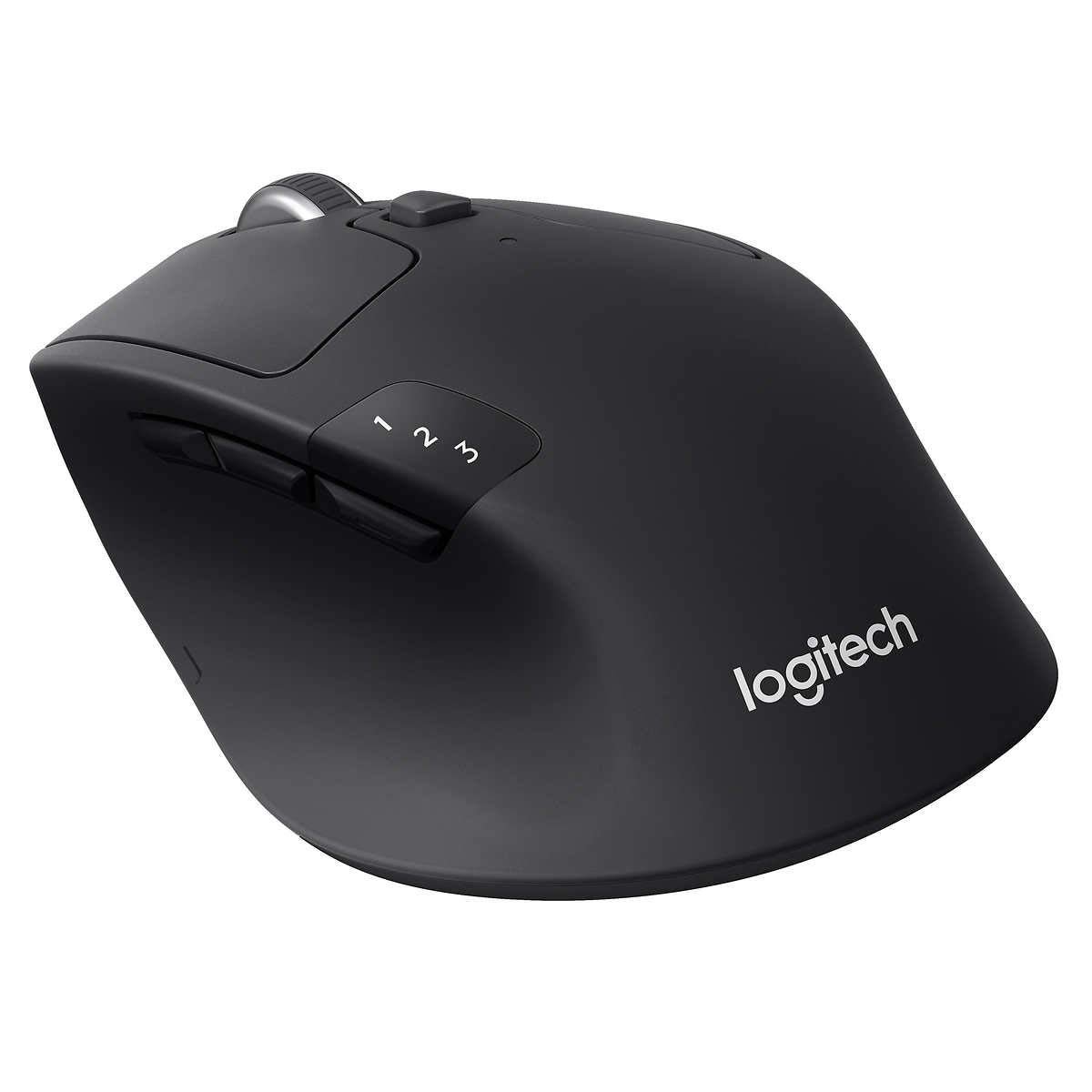
This is the mouse we’d recommend to most people with smaller hands who want something reliable rather than a specialty shape. Its compact, low-profile body sits comfortably under a smaller palm without forcing a stretch, and it still packs six customizable buttons and the ability to pair with up to three devices and switch between them instantly. Battery life runs up to two years on a single AA, so it’s not something you’ll think about often.

Good for: anyone who wants a normal-looking, comfortable mouse without a big learning curve. Watch out for: it’s not a specialty ergonomic shape, so it won’t help as much with existing wrist pain as a vertical mouse would.

2. Logitech Pebble Wireless Mouse — Best Ultra-Compact

At around 100mm long, this is genuinely one of the smallest full-featured mice you can buy, which makes it a strong pick if a standard-size mouse still feels too big in your hand. Despite the tiny footprint it keeps a capable sensor, seven programmable buttons, and both wireless and Bluetooth connectivity, plus it’s ambidextrous, so it works whichever hand you use.

Good for: smaller hands that find even “compact” mice too large, or anyone who wants something travel-friendly. Watch out for: the very small size can feel cramped for people with medium-to-large hands, so it’s specifically a small-hand pick.

3. Contour UniMouse Small — Best Vertical Design

If a flat mouse causes wrist or forearm pain, a vertical mouse keeps your hand in a more natural handshake position instead of twisting your forearm flat. The UniMouse stands out because its hinge angle adjusts anywhere from 35 to 70 degrees, so you can dial in exactly how vertical you want it, and the small size specifically fits smaller hands rather than being a scaled-down version of a large mouse. A five-way adjustable thumb rest adds extra support.

Good for: people dealing with existing wrist or forearm discomfort who want a genuinely ergonomic shape. Watch out for: vertical mice take a few days to get used to if you’ve never used one before.

4. Anker Vertical Ergonomic Mouse — Best Budget Pick

You don’t need to spend a lot to try a vertical, small-hand-friendly shape, and this is the mouse that proves it. It has a fixed 57-degree vertical angle that reduces forearm twisting, a compact body that suits smaller hands, and adjustable DPI for switching between precise and fast cursor movement. It won’t have the premium build or adjustability of the Contour, but it delivers the core ergonomic benefit at a fraction of the price.

Good for: anyone who wants to try a vertical ergonomic mouse without committing to a premium price. Watch out for: the angle is fixed, not adjustable, so it’s a one-size-fits-most solution rather than a custom fit.

How to Choose the Right Mouse for Small Hands

  • Measure your hand, not just “small” vs “large”. Measure from the base of your palm to the tip of your middle finger. As a rough guide, a mouse length of about 115-122mm tends to suit smaller hands best, while anything over 125mm often leaves the palm resting on the back edge instead of properly cradled.
  • Check grip width too. A narrower grip width, roughly under 60mm at the point where your thumb and ring finger rest, keeps your fingers from spreading too wide, which reduces strain at the base of the thumb.
  • Know your grip style. Palm grip rests your whole hand on the mouse and usually wants a shorter, curved shape. Claw and fingertip grips work well with smaller, lighter mice since less of the hand touches the surface.
  • Flat vs. vertical isn’t about hand size alone. Vertical mice help most with existing wrist or forearm discomfort, regardless of hand size. If you have no pain currently, a well-fitted flat mouse is often the easier adjustment.

FAQ

Are vertical mice actually better for small hands? Not automatically, size and shape matter more than orientation. A well-fitted flat mouse in the right size can be just as comfortable as a vertical one. Vertical designs specifically help if you have existing wrist or forearm strain from twisting your arm flat.

Do gaming mice work well for small hands too? Some do. Many gaming mice are designed lighter and more compact than office mice, so a few of them fit smaller hands well, but check the specific length and grip width rather than assuming based on the gaming label.

How long does it take to adjust to a vertical mouse? Most people report the hand and shoulder feeling more relaxed within the first week of regular use. Expect a short adjustment period where clicking accuracy feels slightly off before it becomes natural.

Final Verdict

The Logitech M720 Triathlon is the safest first buy for most smaller hands: comfortable, familiar, and reliable. If a standard-size mouse still feels too big, size down further with the Razer Pro Click Mini. If you’re dealing with existing wrist or forearm discomfort, the Contour UniMouse Small is worth the extra cost for its adjustable angle. And if you just want to test whether a vertical mouse helps before spending much, start with the Anker.