Disclosure: This post contains affiliate links. As an Amazon Associate, we earn from qualifying purchases at no extra cost to you.
Working from bed or the couch feels comfortable until your laptop starts overheating on the duvet, your neck aches from looking down, or the whole thing slides off your lap the moment you shift position. Soft surfaces block the air vents underneath most laptops, and a thin ultrabook on a blanket can run 15-25°C hotter than the same laptop on a hard desk, which is close to where thermal throttling kicks in. The stands below solve that, plus the ergonomics of typing while reclined.
Quick Picks
- Best Overall: LapGear Home Office Lap Desk
- Best Adjustable: SAIJI Adjustable Laptop Stand
- Best Budget Pick: AVAWING Laptop Bed Table
- Best for Serious Couch Workers: Seville Classics Adjustable Laptop Cart
1. LapGear Home Office Lap Desk — Best Overall

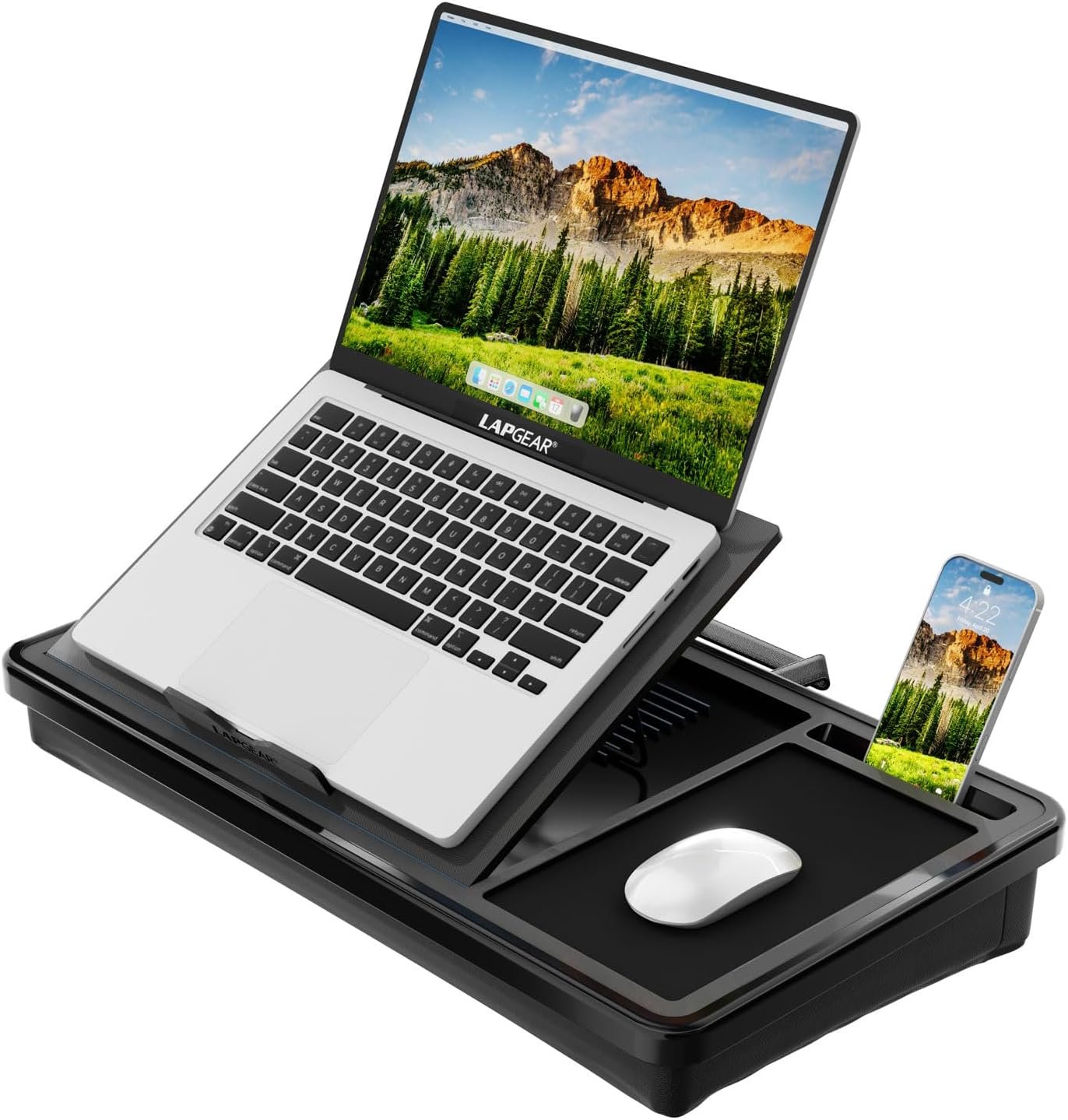
This is the one to buy if you just want something that works well every time without thinking about it. A cushioned underside conforms to your legs on the couch or in bed, while a hard top surface keeps the laptop level even if you shift around. Small standoffs under the platform restore airflow so the laptop isn’t smothered by a blanket, a front ledge stops thin ultrabooks from sliding off, and a side slot holds your phone upright.
Good for: anyone who wants one reliable lap desk for both bed and couch use. Watch out for: it’s a fixed flat surface, not height-adjustable, so it won’t raise the screen to eye level.
2. SAIJI Adjustable Laptop Stand — Best Adjustable

If you switch between sitting upright against a headboard and lying back on the couch, a fixed flat lap desk won’t cut it. The SAIJI has auto-lock height buttons giving you a range from about 10.6 to 15.4 inches, plus adjustable surface angle, so you can actually bring the screen closer to eye level instead of always looking down. The top is PVC leather for grip, and there’s a small storage drawer for cables or a mouse.
Good for: people who work from multiple positions and want the screen at a better angle. Watch out for: it’s noticeably heavier than a simple lap desk, so it’s not something you’ll want to move around often.
3. EHO Laptop Lap Pad — Best Budget Pick

A simple, foldable table with adjustable legs that covers most of what people actually need: a flat, elevated surface that keeps the laptop off soft bedding. It folds flat for storage under the bed or couch when not in use, and the legs adjust to work for both seated and reclined positions. It won’t feel as premium as the pricier picks, but it solves the core airflow and stability problem for very little money.
Good for: casual bed and couch use on a tight budget. Watch out for: no cushioned underside, so it can feel less comfortable resting directly on your lap for long sessions.
4. Seville Classics Adjustable Laptop Cart — Best for Serious Couch Workers

If you spend hours on the couch every day, nothing resting on your actual lap is going to be as ergonomic as this. It’s a rolling, height-adjustable cart with an H-shaped base that slides under the couch so the surface hovers directly over your lap, similar to a hospital bedside table. Height adjusts from about 20.5 to 33 inches, which covers low and high couches alike, and it brings the screen much closer to eye level than any lap desk can.
Good for: people who work from the couch regularly and want a genuinely ergonomic setup, not just a lap pad. Watch out for: it’s bulkier and needs floor space to roll and slide into position.
How to Choose the Right Bed or Couch Laptop Stand
- Airflow matters more than people think. Look for standoffs, legs, or vented surfaces underneath the platform. Setting a laptop directly on a blanket blocks the intake vents and can trigger thermal throttling within 10-20 minutes of real use.
- Match the stand to your posture. Sitting upright against a headboard needs a screen roughly 10-12 inches above the mattress to hit eye level. Sitting cross-legged needs less, around 6-10 inches. If you switch positions often, get something height-adjustable.
- Cushioned base vs. hard legs. A cushioned underside is more comfortable directly on your lap but adds bulk. Folding legs are more compact and often adjustable, but rest more directly on your legs or the couch cushion.
- Check the surface size. Make sure the platform fits your laptop with room to spare if you also want to rest a mouse or notebook beside it.
FAQ
Is it actually bad to use a laptop on a bed or couch? It’s fine occasionally, but regularly working directly on soft bedding blocks cooling vents and can shorten your laptop’s lifespan over time, plus it encourages poor neck and wrist posture. A stand with airflow and some height fixes both issues.
Do I need a cooling pad instead of a lap desk? A cooling pad with fans helps more with heavy workloads like gaming or video editing. For everyday browsing, writing, or video calls, passive airflow from a stand with standoffs is usually enough.
Will a lap desk work with a mouse? Most flat lap desks have enough surface area for a compact mouse next to the laptop. If you use a full-size mouse regularly, look for a model with extra side space or consider the rolling cart option instead.
Final Verdict
For most people splitting time between bed and couch, the LapGear Home Office Lap Desk is the safest buy: comfortable, stable, and solves the airflow problem without any setup. If you switch between sitting up and lying back often, the SAIJI’s adjustable height and angle make a real difference. On a tight budget, the AVAWING folding table covers the basics. And if the couch is genuinely your daily workspace, the Seville Classics cart is the only option here that gets the screen close to real desk-level ergonomics.