Disclosure: This post contains affiliate links. As an Amazon Associate, we earn from qualifying purchases at no extra cost to you.
Two monitors sitting on their factory stands almost always means a cluttered desk, mismatched heights, and screens that are too low for good posture. A proper dual monitor stand fixes all three at once: it clears desk space, aligns both screens at eye level, and lets you angle each one independently for coding, trading, or just watching a video on one side while you work on the other. Here are the stands worth buying, based on build quality, weight capacity, and how well they actually hold position over time.
Quick Picks
- Best Overall: HUANUO FlowLift Dual Monitor Stand
- Best Value: VIVO STAND-V002 Dual Monitor Desk Mount
- Best Budget Pick: ErGear Dual Monitor Arm
- Best for Large or Ultrawide Screens: VIVO Premium Aluminum Dual Monitor Mount
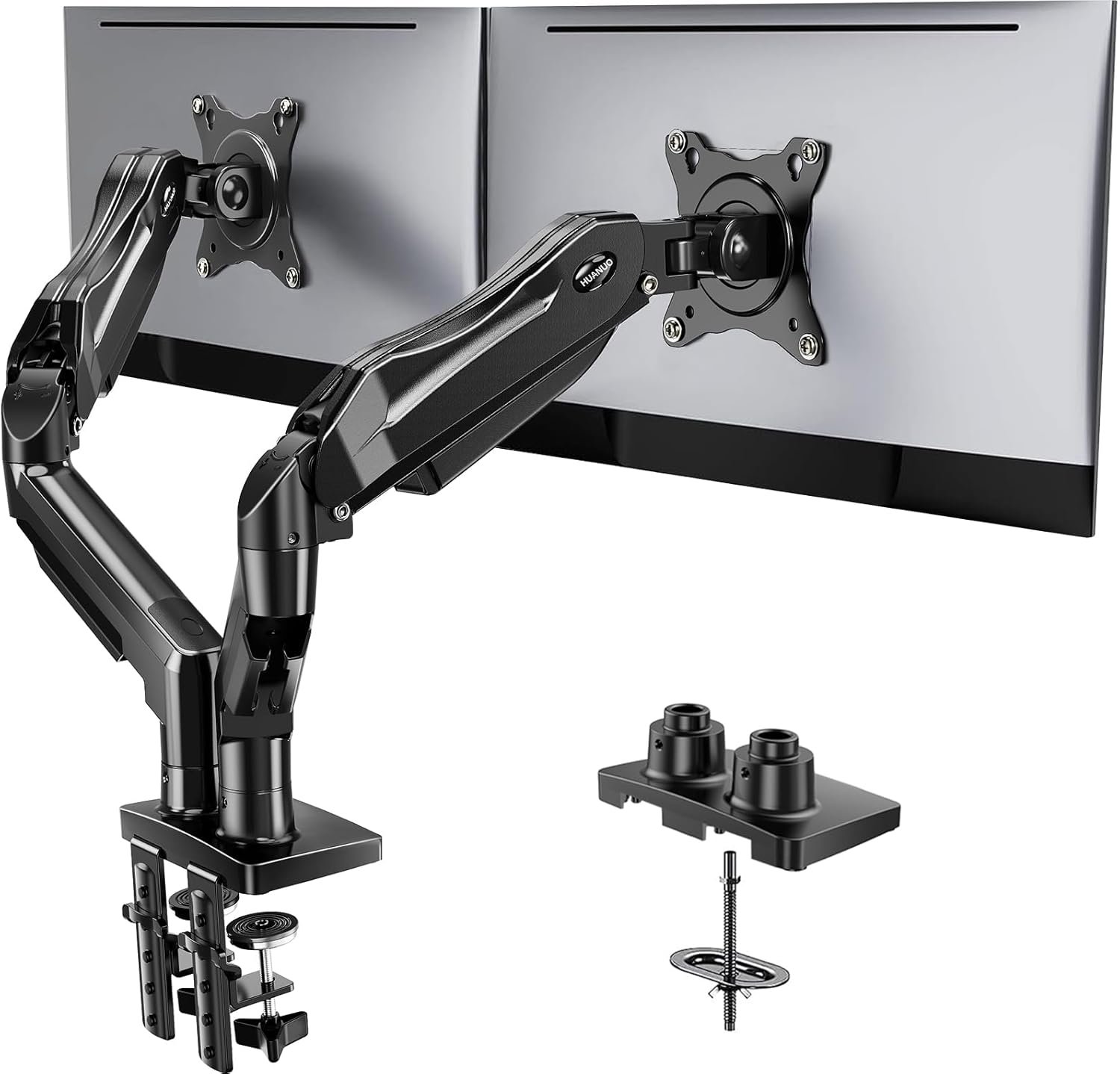
1. HUANUO FlowLift Dual Monitor Stand — Best Overall

This is the stand we’d point most people to first. It uses a gas spring mechanism, so once it’s tuned to your monitor’s weight, you can push a screen up, down, or sideways with one finger and it stays exactly where you leave it. It supports a wide range of monitor sizes on a standard VESA mount, includes both a desk clamp and a grommet base for different desk edges, and comes with a long warranty that reflects how well it holds up over time.
Good for: anyone who wants smooth, tool-free adjustment and full independent control of both screens. Watch out for: initial tension setup takes a few minutes of trial and error to match your specific monitor weight.
2. VIVO STAND-V002 Dual Monitor Desk Mount — Best Value

VIVO’s STAND-V002 has become a go-to recommendation because it’s genuinely heavy-duty steel construction at a price that undercuts most competitors. It holds two screens up to 30 inches and 22 lbs each, comes with both a C-clamp and grommet mounting option, and has years of reviews backing up its stability. It’s not the smoothest to adjust compared to gas spring arms, but it doesn’t sag or drift once positioned.
Good for: buyers who want rock-solid stability without paying gas-spring prices. Watch out for: adjustments require a bit more manual effort than premium arms.
3. ErGear Dual Monitor Arm — Best Budget Pick

If you just need two screens up off the desk without spending much, the ErGear arm gets the job done. It still delivers the core functionality: independent height, tilt, and swivel adjustment for each monitor on a standard VESA mount. Build quality is a step below the pricier options, but for a first dual monitor setup or a secondary desk, it’s a sensible way to start.
Good for: budget-conscious buyers setting up a second desk or trying dual monitors for the first time. Watch out for: heavier monitors may cause more drift over time than the pricier picks.
4. VIVO Premium Aluminum Dual Monitor Mount — Best for Large or Ultrawide Screens

Most dual monitor stands aren’t rated for screens over 32 inches, which rules them out for ultrawide or large 4K displays. VIVO’s premium aluminum mount is built specifically for that heavier class of monitor, with a sturdier arm structure and a higher weight rating per side than standard steel arms. If you’re running two large or ultrawide screens, this is one of the few stands actually engineered to hold them without sagging.
Good for: setups with large, heavy, or ultrawide monitors that standard arms aren’t rated for. Watch out for: it costs more and needs more desk clearance than compact arms.
How to Choose the Right Dual Monitor Stand
- Check your VESA pattern first. Almost all modern monitors support 75x75mm or 100x100mm VESA mounting holes on the back. Confirm yours before buying, since a stand is useless without a matching pattern.
- Weigh your monitors, not just their screen size. Weight capacity is the spec that actually matters for stability. A 27-inch monitor can weigh anywhere from 10 to 20+ lbs depending on the panel, so check the actual weight rather than assuming based on size.
- C-clamp vs. grommet mount. A clamp attaches to the edge of your desk and needs no drilling. A grommet base goes through a hole in the desk and sits flatter, but requires either an existing hole or drilling one. Most stands include both options.
- Gas spring vs. mechanical adjustment. Gas spring arms move with one finger and hold position precisely, but cost more and need initial tension tuning. Mechanical or friction-based arms are cheaper and simpler, but need more effort to reposition.
FAQ
Will a dual monitor stand fit any desk? Most stands work with desks between roughly 0.4 and 3.5 inches thick using either a clamp or grommet base. Check the specific range listed for the stand you’re considering, especially with glass or very thick desks.
Can I mix two different monitor sizes on one stand? Yes, most dual arms adjust each side independently, so pairing a 24-inch and a 27-inch monitor is fine as long as both fall within the stand’s weight rating.
Do I need to drill a hole in my desk? No. Every stand on this list includes a clamp option that doesn’t require any modification to your desk. A grommet hole is only needed if you prefer that mounting style.
Final Verdict
The HUANUO FlowLift is the stand to buy if you want the smoothest experience and don’t mind paying a bit more. The VIVO STAND-V002 is the smarter pick if you want proven, heavy-duty stability at a lower price. If you’re just testing out a dual monitor setup for the first time, start with the ErGear arm. And if your screens are large or ultrawide, skip straight to the VIVO Premium Aluminum mount, since standard arms simply aren’t built to hold them.